

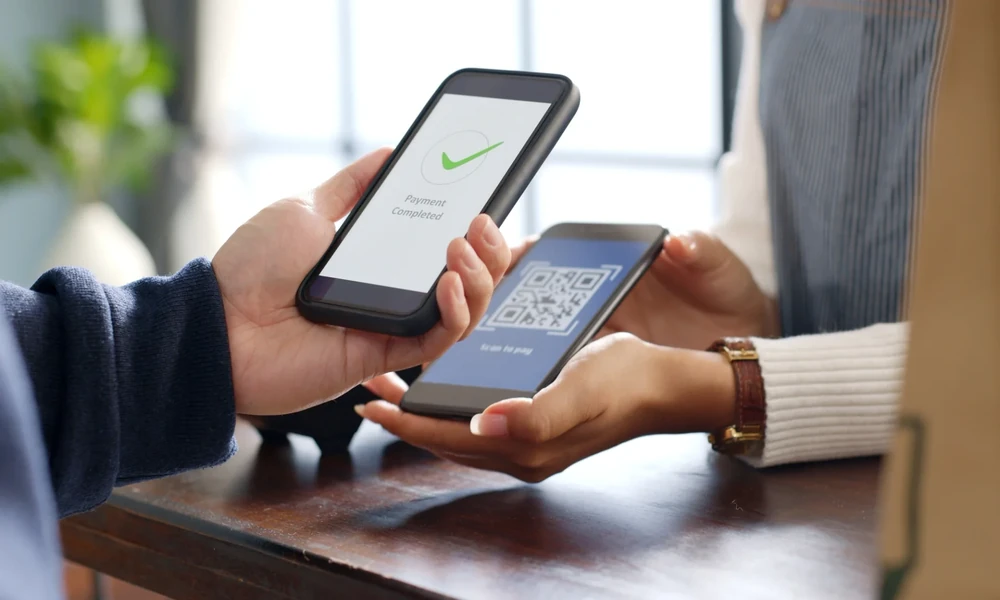
Checkout is one of the most important parts of the customer experience. Even when a customer has found the right product or service, a slow or complicated payment process can create unnecessary delays. For small retailers, restaurants, service providers, and other merchants, making payment collection simple can help keep queues moving and make transactions more convenient.
Scan-based payments provide one practical way to streamline the checkout process. With scan and pay, customers can scan a merchant’s QR code using a compatible payment application and complete the transaction digitally. Current NPCI guidance for UPI QR displays specifically supports the instruction “Scan & Pay with any UPI app,” while also setting minimum QR dimensions intended to maintain scannability.
For businesses, the benefit is not limited to speed. Digital payment records can also support transaction tracking and reconciliation when they are properly matched with sales records.
What Are Scan-Based Payments?
Scan-based payments allow customers to use a smartphone camera or payment application to scan a QR code associated with a merchant or transaction.
Depending on the payment setup, the customer may scan a static merchant QR code and enter the amount or use a transaction-specific QR code that contains relevant payment information.
The basic process is straightforward:
- The customer selects the payment option.
- The customer scans the merchant’s QR code.
- The amount is entered or displayed.
- The customer confirms the transaction.
- The merchant verifies the payment.
- The transaction is completed.
UPI-based merchant payments are designed to support streamlined transactions, with customers able to scan merchant QR codes without manually entering bank account or card details.
Why Faster Checkout Matters
A busy checkout counter can create pressure for both customers and employees. When several people are waiting, even small delays can contribute to longer queues.
A faster payment process can help merchants serve customers more efficiently. It can also reduce the time employees spend handling cash, counting change, or manually recording transaction details.
This is particularly relevant for businesses that handle many small-value transactions throughout the day, such as grocery stores, food outlets, pharmacies, local retailers, and service businesses.
1. Simple Payment Experience
Customers generally prefer payment methods that require fewer unnecessary steps.
With scan and pay, a customer can scan the displayed QR code and proceed through the payment process without manually entering extensive account information.
For regular digital-payment users, this can make checkout feel familiar and straightforward.
The exact number of steps can vary depending on the customer’s payment application, device, bank, connectivity, and transaction type.
2. Reduces Cash Handling
Cash payments can require employees to count notes and coins, provide change, and maintain cash records.
Digital payments can reduce the amount of physical cash involved in daily transactions. This may make checkout easier during busy periods when employees need to serve several customers quickly.
Businesses do not necessarily need to eliminate cash. Instead, scan-based payments can provide another option for customers who prefer digital transactions.
3. Helps Reduce Queue Pressure
When customers can complete payments efficiently, employees can move to the next transaction sooner.
This can be particularly valuable during peak periods, such as lunch hours, weekends, holidays, or promotional events.
However, merchants should remember that payment speed also depends on internet connectivity, customer device performance, and payment-system availability.
Maintaining a simple backup payment process can help businesses continue serving customers when a particular digital payment method is temporarily unavailable.
4. Electronic Transaction Records
One of the useful advantages of digital payments is the availability of electronic transaction information.
Businesses can review payment records to identify completed transactions and compare them with sales records.
For example, a shop can compare its daily sales with digital collections and cash receipts. Regular reconciliation can help identify missing entries, pending transactions, refunds, or other discrepancies.
Accurate records can also make financial reporting easier.
5. Useful for Small-Value Purchases
Scan-based payments can be particularly convenient for everyday purchases where customers want a quick checkout experience.
A customer buying a few items from a local shop may prefer scanning a QR code rather than counting cash or waiting for change.
NPCI’s UPI Lite documentation also describes QR scanning for certain low-value transactions, illustrating how QR-based payment experiences can support everyday retail purchases.
6. Less Manual Entry
Traditional payment processes can involve manually entering account details or writing down transaction information.
QR-based transactions can reduce some of this manual entry because payment information can be associated with the QR code.
For merchants, this can reduce certain repetitive steps during checkout. For customers, it can make payment more convenient.
The business should still verify the transaction before releasing products or completing a service.
7. Supports Different Types of Businesses
Scan-based payments are flexible enough to be used by many different types of businesses.
They can be relevant to:
- Grocery stores
- Restaurants and cafés
- Street vendors
- Pharmacies
- Salons
- Repair shops
- Small service providers
- Local retailers
- Home-based businesses
- Professional service providers
The appropriate payment setup depends on transaction volume, customer preferences, business requirements, and available infrastructure.
8. Convenient for Mobile Businesses
Not every business operates from a permanent checkout counter.
Some vendors and service providers travel to customers or operate from temporary locations. A QR-based payment arrangement can provide a convenient way to accept digital payments in these situations.
This can reduce dependence on fixed payment equipment, although businesses should make sure the chosen payment method works reliably in their operating environment.
9. Helps Employees Handle Payments
Employees can be trained to follow a consistent payment-verification process.
For example, after a customer completes a scan-based transaction, the employee can confirm that the payment has been successfully received before handing over the product.
Clear procedures can reduce mistakes and prevent employees from relying only on customer screenshots or verbal confirmation.
Businesses should also establish procedures for failed, pending, or disputed transactions.
10. Supports Better Financial Tracking
Faster checkout is only one part of the benefit. Digital payment records can contribute to broader financial management.
When payment information is combined with sales, inventory, and accounting records, business owners can obtain a clearer view of their daily collections.
This can help answer practical questions such as:
- How much was collected today?
- Which transactions are still pending?
- How much was received digitally?
- Are sales records matching payment records?
- Are refunds being recorded correctly?
These insights can support better cash flow management.
Static and Dynamic QR Payments
Businesses may use static or dynamic QR codes depending on their payment setup.
A static QR code generally remains unchanged and can be displayed permanently at a checkout location. The customer may need to enter the amount during the payment process.
A dynamic QR code can be created for a specific transaction and may contain transaction-related information.
Each approach has different operational considerations. A high-volume business may prefer a setup that minimizes manual amount entry, while a smaller merchant may find a static QR arrangement sufficient.
NPCI’s current QR guidelines cover presentation requirements and emphasize clear instructions and sufficient QR size to support scanning.
How Merchants Can Make QR Checkout More Efficient
Simply displaying a QR code does not automatically guarantee a fast checkout experience. Merchants can take several practical steps to improve the process.
Keep the QR Code Clearly Visible
The QR code should be placed where customers can easily see and scan it. It should not be covered, damaged, folded, or positioned behind other objects.
A clear display can reduce the time customers spend looking for the correct payment code.
Display the Merchant Name Clearly
Customers should be able to identify the intended merchant before completing a transaction.
A clear merchant name can help customers verify that they are paying the correct business.
Maintain Good Connectivity
Digital payments depend on technology and network availability. Businesses should ensure that their payment device or relevant equipment has suitable connectivity.
If connectivity issues occur frequently, the merchant should consider appropriate backup payment arrangements.
Train Staff
Employees should know how to verify successful payments and handle failed or pending transactions.
Training can also help staff respond quickly when customers experience difficulty scanning or completing a payment.
Reconcile Transactions Regularly
Payment records should be compared with sales records regularly. Businesses with high transaction volumes may benefit from more frequent reconciliation.
This can help identify errors before they become difficult to trace.
Security Should Remain a Priority
Speed should never compromise payment security.
Merchants should verify successful transactions through the appropriate payment system before releasing goods or services. Employees should never ask customers for confidential authentication details such as passwords, PINs, or one-time authentication codes.
Businesses should also protect their payment accounts and restrict access to authorized employees.
NPCI provides payment safety and fraud-awareness resources for users and businesses, highlighting the importance of secure digital payment practices.
Don’t Rely on a Single Payment Method
Although scan-based payments can be convenient, businesses should consider having alternatives.
Network interruptions, device issues, application problems, or other technical difficulties can occasionally affect digital payments.
Maintaining another suitable payment option can help businesses continue serving customers when a particular method is unavailable.
The objective should be payment flexibility rather than complete dependence on one channel.
How Faster Payments Can Support Customer Experience
Checkout is the final stage of many customer interactions. A smooth payment process can leave customers with a positive impression of the business.
When customers can quickly select a payment option, complete the transaction, and receive confirmation, the overall checkout experience can become more convenient.
This can be especially important for businesses where customers make frequent purchases. Even small improvements in transaction time can make a difference when repeated across hundreds of transactions.
Connect Payments With Business Operations
Businesses can gain more value from digital payments when payment information is connected with broader operational processes.
For example, a completed transaction can be recorded against a sale, reflected in inventory records, and included in daily financial reports.
This reduces the need to maintain disconnected records across multiple systems.
However, businesses should ensure that any integration is accurate and secure before relying on automated processes.
Consider Financing for Business Expansion
Faster payment collection can improve transaction efficiency, but businesses may still need additional capital for expansion, inventory, equipment, technology, or other requirements.
If a merchant needs external financing, a Quick Business Loan may be one option to evaluate, depending on eligibility and the lender’s terms.
Speed should not be the only consideration. Before taking financing, businesses should review the loan amount, interest rate, applicable fees, repayment schedule, total repayment cost, and their ability to meet the repayment obligation.
A loan should be considered based on an actual business requirement and realistic cash flow rather than simply because funds can be obtained quickly.
Build a Better Checkout Process
A fast checkout process is usually the result of several small improvements working together.
Businesses can:
- Keep products and prices clearly organized.
- Display QR codes in accessible locations.
- Train employees on payment verification.
- Maintain reliable connectivity.
- Provide multiple payment options.
- Reconcile transactions regularly.
- Keep payment records organized.
- Review checkout delays and customer feedback.
These practices can make digital payments more useful without adding unnecessary complexity.
Conclusion
Scan-based payments can make checkout more convenient by reducing manual payment steps and providing customers with a familiar digital transaction method. Scan and pay allows customers to use a QR code to initiate payments, while merchants can benefit from electronic transaction records and potentially smoother checkout operations.
The effectiveness of QR payments depends on more than simply displaying a code. Clear QR placement, reliable connectivity, payment verification, employee training, regular reconciliation, and appropriate security practices all contribute to a better experience. NPCI’s current UPI QR guidance also includes specific presentation and scannability requirements for merchant QR displays.
For businesses that need additional capital for inventory, expansion, equipment, or other legitimate requirements, a Quick Business Loan can be considered after evaluating eligibility, repayment capacity, interest costs, and other terms.
Ultimately, faster payments are about creating a smoother experience for both customers and merchants. When scan-based payments are combined with organized financial processes and responsible business planning, they can become a useful part of an efficient modern checkout system.
FAQs
1. What does scan and pay mean?
Scan and pay refers to a digital payment process where a customer scans a merchant’s QR code using a compatible payment application and completes the transaction.
2. How can scan-based payments make checkout faster?
They can reduce manual payment steps, including some account-detail entry and cash handling. The actual speed depends on the customer’s device, connectivity, payment application, and transaction setup.
3. Are QR payments suitable for small businesses?
Yes. QR payments can be useful for retailers, restaurants, service providers, vendors, and many other small businesses.
4. What is a static QR code?
A static QR code generally remains the same and can be displayed at a fixed business location. Customers typically enter the transaction amount during payment.
5. What is a dynamic QR code?
A dynamic QR code can be generated for an individual transaction and may contain transaction-specific payment information.
