

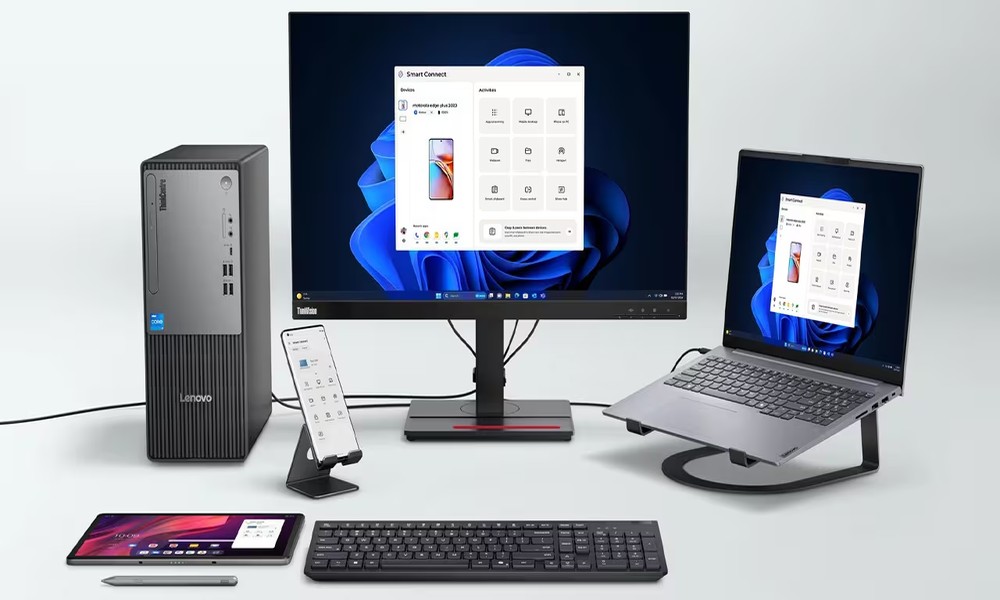
Digital transformation has turned office devices into more than just work tools-they have become essential components for improving productivity and creating business advantages. For organizations seeking a desktop PC that delivers performance, durability, and value, the Lenovo ThinkCentre Neo 50t G5 has become one of the most popular choices in 2026. However, before making an investment decision, there are several important points you should understand to ensure it meets your organization’s needs.
The Role of Lenovo ThinkCentre Neo 50t G5 in Digital Workflows
Workflow bottlenecks often occur when hardware cannot keep up with modern software and workloads. The Lenovo ThinkCentre Neo 50t G5 is designed to address this challenge with the power of the latest Intel® Core™ processors, enabling efficient multi-tasking and smooth performance. Whether handling large spreadsheets, running multiple applications simultaneously, or joining high-resolution video conferences, the system remains responsive and stable. This helps minimize system slowdowns or freezing that can negatively impact employee productivity.
7 Security and Durability Benefits of Lenovo ThinkCentre Neo 50t G5
The reliability of this model goes beyond hardware specifications. It is reflected in enterprise-grade features designed to support demanding business environments:
1. ThinkShield Security: A hardware-level security system integrated with a dTPM 2.0 chip, enabling data encryption and helping protect against cyber threats.
2. Smart Cable Clip: A cable management feature that helps secure connected cables and reduce the risk of unauthorized device removal or data access through ports.
3. Military-Grade Toughness: Tested against MIL-STD durability standards, ensuring reliable performance even in environments with heat, vibration, or continuous operation.
4. Intelligent Cooling Engine (ICE) 5.0: An intelligent cooling system that automatically adjusts performance based on workload, helping maintain system stability and extend component lifespan.
5. Tool-less Design: A design that allows easy upgrades or maintenance-such as replacing RAM or storage-without the need for tools, reducing IT maintenance time.
6. Self-Healing BIOS: A recovery feature that can automatically restore the BIOS if an error occurs during updates, minimizing the risk of system boot failure.
7. Sustainable Engineering: Built with a high percentage of recycled materials in key components, supporting environmental initiatives and helping organizations meet Green Office standards.
A Closer Look at the Specifications of Lenovo ThinkCentre Neo 50t G5
Choosing an enterprise PC is not just about finding the lowest price. Organizations should consider the Total Cost of Ownership (TCO)-the overall value of the device throughout its lifecycle, including performance, upgrade potential, and maintenance costs.
Selecting the right configuration for the Lenovo ThinkCentre Neo 50t G5 based on the nature of the work is therefore an important starting point. In many organizations, a desktop PC is expected to remain in use for 3-5 years, so choosing the right specifications from the beginning can significantly reduce the need for early replacement or costly upgrades later.
1. Choose the CPU Based on Workload
– General office tasks: Intel Core i3 or i5 is usually sufficient for office applications, accounting software, or ERP systems.
– Data analysis or heavy multitasking: Intel Core i5 or i7 is recommended for smoother performance when running multiple applications simultaneously.
– Graphic design or compute-intensive tasks: Intel Core i7 with more processing cores can provide faster and more efficient performance.
2. Select RAM with Future Expansion in Mind
While systems may start with 8GB or 16GB DDR5 RAM, the ThinkCentre Neo 50t G5 supports upgrades up to 64GB, making it suitable for organizations that anticipate higher workloads in the future.
3. Choose Storage Based on Data Requirements
Many configurations come with 512GB NVMe SSD, offering fast boot and application load times. The system also supports additional drives, allowing organizations to expand storage with extra SSDs or HDDs as data needs grow.
4. Check Connectivity and Ports
The system includes multiple connectivity options such as USB-C, USB-A, HDMI, DisplayPort, and LAN, making it easy to connect monitors, peripherals, and other office equipment commonly used in modern workplaces.
5. Plan for Long-Term Upgrades
With its tower design and PCIe expansion slots, the ThinkCentre Neo 50t G5 allows businesses to add components such as dedicated graphics cards, network cards, or other expansion devices in the future-helping extend the lifespan of the system.
When selecting a PC for business use, organizations should look beyond the initial purchase price and consider the Total Cost of Ownership (TCO)-including performance, upgrade flexibility, and long-term reliability. Choosing specifications that match the needs of each department, whether for office tasks, data analysis, or graphic-related work, helps ensure optimal performance while reducing future IT costs.
For organizations seeking a desktop that can support diverse workloads and offer long-term scalability, Lenovo ThinkCentre Neo 50t G5 is a strong option for modern digital workplaces, delivering a balance of performance, durability, and enterprise-level features.
To ensure the right configuration and a smooth deployment for your organization, it is recommended to purchase through an IT solutions specialist such as Quickserv, which can provide expert consultation, system planning, and reliable after-sales support-helping maximize the value of your IT investment.
